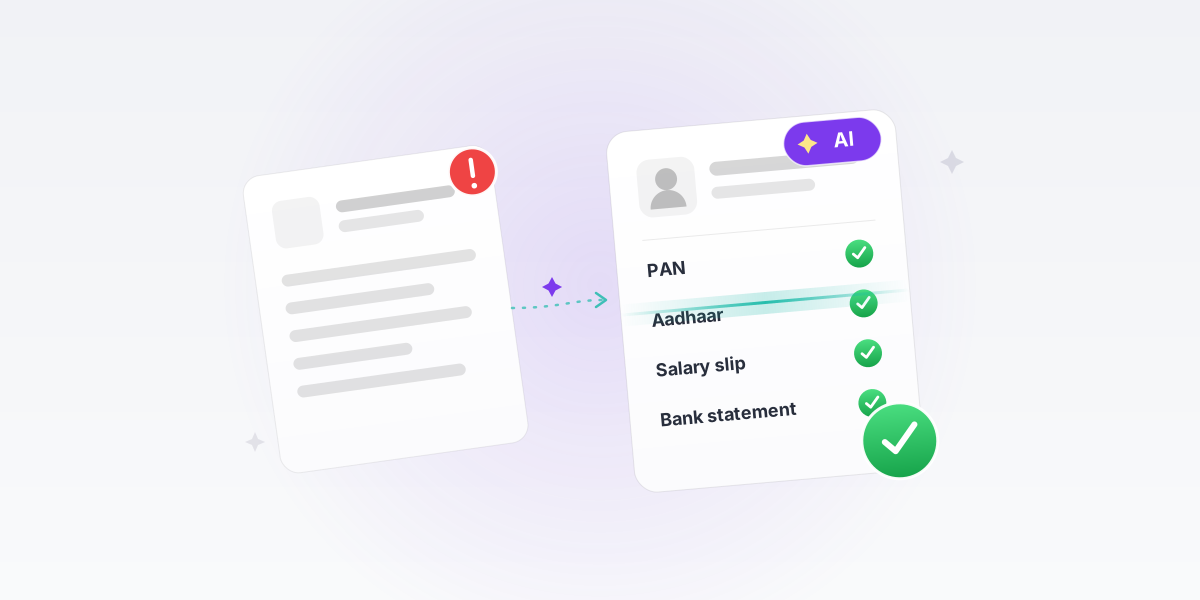
Why AI-Powered Document Validation?
- High application failure due to incorrect documents
- Issues detected only after submission
- Frequent rework and resubmission by users
- Increased operational load on backend teams
- No validation before final submission
- Need for upfront document accuracy using AI
- Reduce drop-offs and improve journey efficiency
Problem Understanding
Understanding Requirement
Goal
There is an opportunity to improve the percentage of cases processed as First Time Right (FTR) in Credit and Ops by proactively displaying document-related and rule-based errors to sales executives before case submission. Currently, the back-and-forth between Sales and Credit teams due to unidentified errors is contributing to a turnaround time (TAT) increase of approximately 10-30 hours per case, impacting overall efficiency and customer experience.
- To improve Credit and Ops FTR rate at 85%+
- Eliminate the presence of Login Desk for PL leading to Cost Save of INR ~ 3 Crs annualized
- Reduce Ops processing time per case
Problem to solve
| User persona | User problem / Used Case | Product problem |
|---|---|---|
| Credit User | Credit user (CPA) need to manually verify all the docs in an application before moving the case to underwriting stage | Onboard all the Credit verification checkpoint documents onboarded in NDC Automation CPM model |
| Branch Ops | Ops user need to manually verify all the docs in a loan docket and system data before LAN generation | Onboard all the ops verification checkpoint documents onboarded in NDC Automation CPM model |
| Sales User | Sales user is the first user who actually upload a doc. Sales user in many instances upload wrong document or document under wrong categorisation | Enable CPM AI model-based insights and error on sales user experience |
Current Numbers of FTNR of Loan Application
Research
Searched for multiple solutions — How can I design the best solution?
To help Relationship Managers (RMs) increase First Time Right (FTR) rates, you can focus on reducing errors, improving guidance, and streamlining processes. Here are some ideas:
- Live Error Feedback: Instead of showing errors after submission, provide real-time validation as RMs enter data.
- Inline Hints & Examples: Show microcopy or tooltips for fields prone to errors (e.g., "Enter PAN in ABCDE1234F format").
- Auto-fill & Auto-correct: Fetch and suggest correct data from existing records or integrations.
- Document Pre-check: Before submission, highlight missing pages, incorrect formats, or blurry scans.
- UX Nudger for Uploads: Provide checklist reminders while uploading.
- OCR & AI Validation: Auto-detect document types and pre-fill data wherever possible.
- Real-time FTR Scorecard: Show RMs their FTR rate with insights on why rework happens.
- Pre-submission Review Mode: Allow RMs to double-check and verify documents before final submission.
- Automated Alerts: Notify RMs about missing information or upcoming deadlines.
- FTR Playbook: A simple, visual guide on common errors and best practices.
- Quick Fix Suggestions: When an error occurs, show direct solutions instead of just error messages.
- Gamification & Incentives: Reward RMs with badges or recognition for high FTR rates.
- AI-powered Smart Assist: Suggest next steps based on previous interactions.
- Chatbot for Quick Queries: Let RMs ask common questions about the submission process.
- Automated Data Fetching: Reduce manual input errors by pulling data from verified sources.
Which of these ideas do you think fits best with your current project focus?
Spoke with tech team about AI platform capability
Proposed platform capability
| Purpose Flag | Identify Doc Type | Perform Extraction | Perform Validation |
|---|---|---|---|
| Classification | Y | N | N |
| Extraction | Y | Y | N |
| Validation | Y | Y | Y |
Scope & Prioritize
Define System Key Action
Write down what data AI system should read, extract, validate and how it act.
| Document | Classification (Property Identification) | Extraction | Validation | Action |
|---|---|---|---|---|
| PAN | Yes/No | Extracted Key Data:
| ✗ |
|
| Aadhaar | Yes/No | Extracted Key Data:
| Validate Key Data:
|
|
| ITR | Yes/No | Extracted Key Data:
| Validate Key Data:
|
|
| Salary Slip | Yes/No | Extracted Key Data:
| Validate Key Data:
|
|
| Post Login OSV (PAN) | Yes/No | Extracted Key Data:
| Validate Key Data:
|
|
| Post Login OSV (Aadhaar) | Yes/No | Extracted Key Data:
| Validate Key Data:
|
|
FTR Improvement Plan
Design, product & tech team sat together and created documents with their initiatives to reach the expected outcome, and also designated the platform to work on.
| Document | Problems | Opportunity areas / Initiatives | Expected FTR% | Dev Dependency |
|---|---|---|---|---|
| B/S | Salary Credit in Bank Statement not matching with Salary Slip | Salary mismatch - model logic addition | 5.8% | SC, Doc-Intel |
| B/S | The uploaded Bank Statement duration is insufficient | Transaction/Duration missing issues handled via Manager Approval | 1.8% | SC |
| DL, VID | Name, DOB, address on DL not matching with applicant details | Name, DOB, Address mismatch handled via Model enhancements & Manager approval | 1.6% | SC |
| Salary slip | Salary slips for all the required months are not available | Salary slip missing periods handled via Manager Approval | 2.9% | SC |
| Aadhaar | Name, DOB, Address on Aadhaar not matching with applicant details | Name, DOB, Address mismatch handled via Model enhancements & Manager approval | 1.08% | SC |
| PAN | PAN not clear / blurred PAN uploaded | Name, DOB mismatch handled via Model enhancements & Manager approval | 0.3% | SC |
| Salary slip | Salary Slip amount for all months not matching | Salary mismatch - model logic addition | 2.8% | SC, Doc-Intel |
| B/S | the applicant's account number is not available. (Mini Bank Statement) | Missing acc details - model logics addition | 2.3% | SC, Doc-Intel |
| B/S | BS document is not readable / blurred / incomplete | Doc quality handling - scanned statements | 0.8% | SC, Doc-Intel |
| Salary slip | The Provident Fund (PF) details are missing or not mentioned on the salary slip. | Missing PF extraction - model logics addition | 2.9% | SC, Doc-Intel |
| BT-Closure proof | BT documents (SOA, closure letter etc.) not provided or incorrect. | BT closure proof capture & AI insights | 2.7% | SC, Doc-Intel |
| PAN | Signature not available or not visible on PAN Card | Sign issue - additional sign proof | 1.6% | SC |
| Rental agreement | Rent Agreement Address mismatch, unclear or missing name of the applicant | AI insights for rental agreement & utility bills | 2.0% | SC, Doc-Intel |
| Experience proof | The Date of Joining (DOJ) is not mentioned in the submitted experience letter | DOJ based Doc capture & AI insights | 1.1% | SC, Doc-Intel |
| RM PD | RMPD report not present (High Risk Zone Sourcing) | Rules based Doc capture & AI insights | 0.87% | SC, Doc-Intel |
| Passbook | Passbook not having relationship | AI insights for passbook as relationship proof | 0.4% | SC, Doc-Intel |
| Form-16/Form-26AS | Company name mismatches | AI insights for Form-16/Form-26AS | 0.8% | SC, Doc-Intel |
| Aadhaar | Unmasked aadhaar Identified | Unmasked identification - model logic enhancements | 0.67% | SC, Doc-Intel |
| 2-Doc Combinations | All above single enhancements (Mgr approval - 5.9% ; Model rule enhancements/doc coverage - 3.7%) | 9.6% | ||
| 3+-Doc combinations | All above single enhancements (Mgr approval - 1.5% ; Model rule enhancements/doc coverage - 1.5%) | 3% |
Key Screens & Design Decisions — Version 1
Solution Exploration
Analyzed the problem and developed a phased solution approach, continuously validating and refining it through iterative user testing.
Variation 1 — Steps Guide Before Upload
- Document Validation
- Text Recognition (Name & date Mismatch)
- Document Type
- Document Verification
- Fraud Document Detection
- Image Quality Assessment
- Detection of Photoshopped / Edited docs
Version 1 Outcome
We analyzed our performance dashboard and observed that the FTR rate increased by 20%, but there are still 50% of users aren't doing it well. To understand the root cause, we spoke with RMs and identified key behavioral patterns:
User Testing Result
- Only 1 out of 5 RMs actively reviews document upload checkpoints.
- RMs primarily focus on the CTA and proceed when it is enabled, without validating the checklist.
- Even after initial exposure, once they realize the system does not block them, they tend to skip reviewing instructions in subsequent cases.
- RM's were able to submit the case with errors
- Low visibility of errors & fixing them
What's Next?
We sat with the product team and planned out what we can do in the next phase to fix this.
Plan to execute in next version
- Progress-Based Submission Flow
- FTR Performance Visibility
- Show peer benchmarks like "72% of RMs do this correctly"
- Explain errors with clear "why it happened" context after action
- Introduce a dashboard banner indicating errored documents; tapping it will navigate RMs to a list where they can resolve issues.
Key Screens & Design Decisions — Version 2 (Current Phase)
Initial user flow & Design — Customer Onboarding
The document upload & AI-verification flow now feeds a dashboard-based error-resolution loop, so RMs can resolve flagged documents before submission.
Developer Handoff & Collaboration (Current Phase)
Delivered production-ready designs with detailed specifications, interaction behaviors, edge cases, developer notes, and downloadable assets through Figma.
Tech Alignment & Feasibility Review
Partner with the engineering team through UX walkthroughs to align on feasibility, address technical constraints, and co-create scalable, implementation-ready solutions.
Calls
Tech Discussion Sheet
| A | B | C | D | E | |
|---|---|---|---|---|---|
| 1 | Doc Category | Doc Type | Journey | Login Rule to be followed for implementation in SC | What additional to be built |
| 2 | Current Address Proof | Aadhar | HL, SBL, PL, UBL, UCL | -Doc must be aadhaar -Masking to be available -Name, Gender, Father Name, Photo, Address Validity -Name & DOB match as per system entry - Photo match with system | -Doc must be aadhaar -Masking to be available -Name, Gender, Father Name, Photo, Address Validity -Name & DOB match as per system entry - Photo match with system |
| 3 | PAN | Applicant Name, Applicant DOB, Applicant PAN, Signature | Applicant Name, Applicant DOB, Applicant PAN, Signature | ||
| 4 | VOTER_ID | HL, SBL, PL, UBL, UCL | Applicant Name, Applicant DOB, ID, Signature -Name, DOB, Photo match with system data | Applicant Name, Applicant DOB, ID, Signature -Name, DOB, Photo match with system data | |
| 5 | DRIVING_LICENSE | HL, SBL, PL, UBL, UCL | Applicant Name, Applicant DOB, ID, Signature -Name, DOB, Photo match with system data | Applicant Name, Applicant DOB, ID, Signature -Name, DOB, Photo match with system data | |
| 6 | RC_Copy | HL, SBL, PL, UBL, UCL | Applicant Name, Applicant DOB, Signature, Reg no, validity date, vehicle name, model etc -Name, DOB, Photo match with system data | Applicant Name, Applicant DOB, Signature, Reg no, validity date, vehicle name, model etc -Name, DOB, Photo match with system data | |
| 7 | PASSPORT | HL, SBL, PL, UBL, UCL | Applicant Name, Applicant DOB, ID, Signature -Name, DOB, Photo match with system data | Applicant Name, Applicant DOB, ID, Signature -Name, DOB, Photo match with system data | |
| 8 | NREGA Job card | HL, SBL, PL, UBL, UCL | Unique job card number -Photographs, -Names, -ages, -gender -Number of days worked -Amount of wages paid -Signature -Name, DOB, Photo match with system data | Unique job card number -Photographs, -Names, -ages, -gender -Number of days worked -Amount of wages paid -Signature -Name, DOB, Photo match with system data |
Ideal Version
What's ideal version?
The final solution was designed based on user feedback and observed behaviors from usability testing.
Plan to execute in ideal version
Continue
- FTR Performance Visibility
- Explain errors with clear "why it happened" context after action
- Introduce a dashboard banner indicating errored documents; tapping it will navigate RMs to a list where they can resolve issues.
New
- Block RM's from submitting the application with an error by disabling the CTA
- Introduce a checklist in place of the lead dashboard to increase visibility of unresolved issues and required actions.
Initial user flow & Design — Customer Onboarding
Business Impact (Till December)
Reflection & Learnings
WHAT I DID WELL
- Identified that low FTR was driven by RM behavior and lack of guidance, not just document upload errors.
- Reframed the problem from error detection to error prevention through proactive support.
- Used dashboard data and RM interviews to uncover the actual root cause.
- Designed solutions around real RM behavior rather than expected behavior.
- Improved application accuracy without adding extra steps or slowing down workflows.
- Leveraged behavioral nudges and learning interventions to drive long-term improvement.
- Balanced user needs, business goals, and operational efficiency in the final solution.
WHAT I WOULD DO DIFFERENTLY
- Involve field users earlier in the design process to validate assumptions before solutioning.
- Conduct usability testing on guidance patterns before finalizing the experience.
- Prioritize interventions based on impact versus workflow disruption.
- Validate behavioral nudges in real-world scenarios to identify the most effective approach.
- Use early user feedback to refine the solution and reduce iteration cycles later in the project.
WHERE I STRUGGLED
- Balancing proactive guidance with RM productivity without slowing down high-frequency workflows.
- Avoiding excessive instructions that could increase cognitive load and reduce task efficiency.
- Determining the right level of intervention to improve FTR while maintaining a seamless experience.
- Aligning user needs, business goals, and operational constraints through multiple stakeholder discussions and iterations.
- Ensuring proposed solutions were both impactful and feasible within existing system limitations.