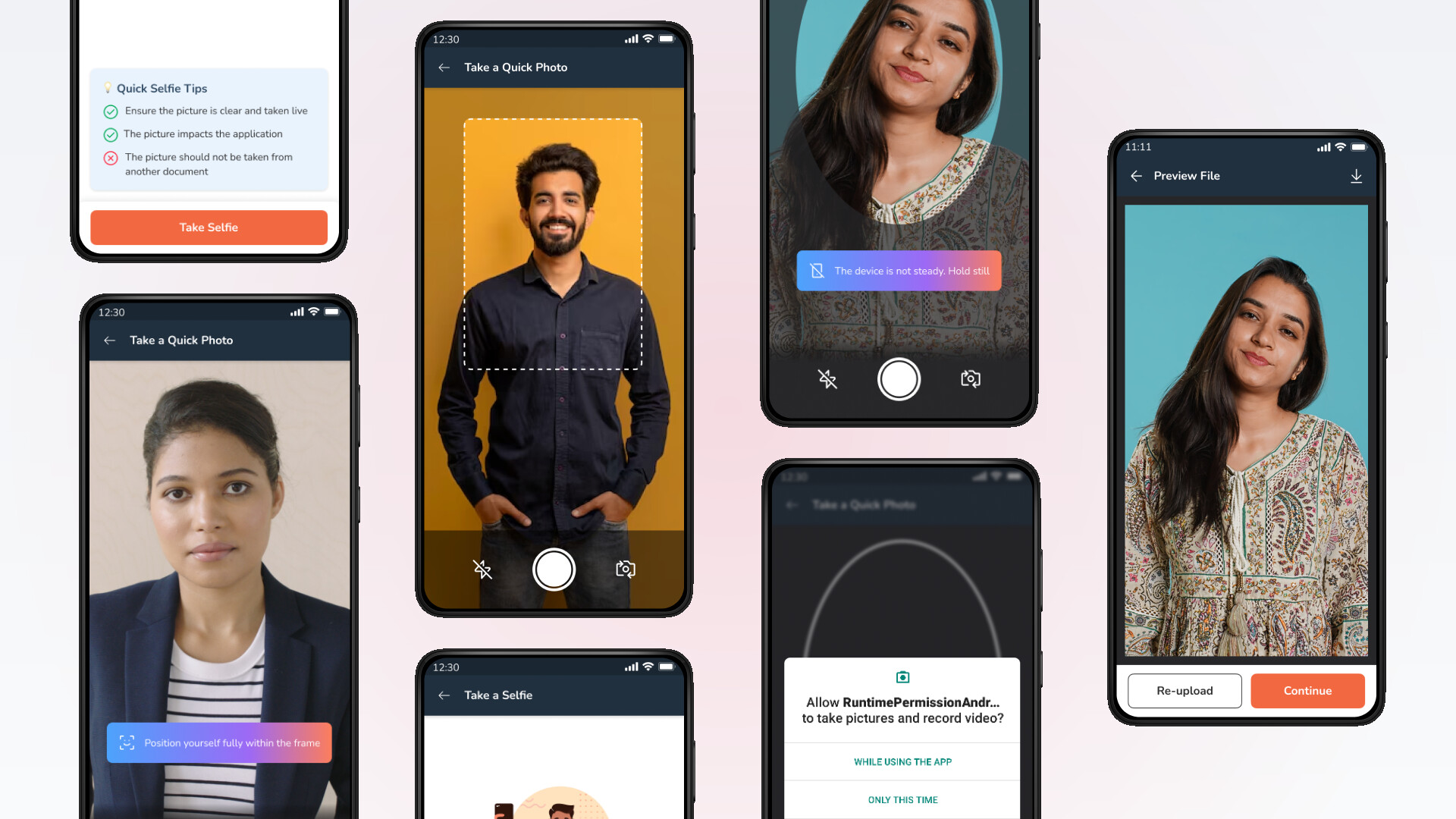
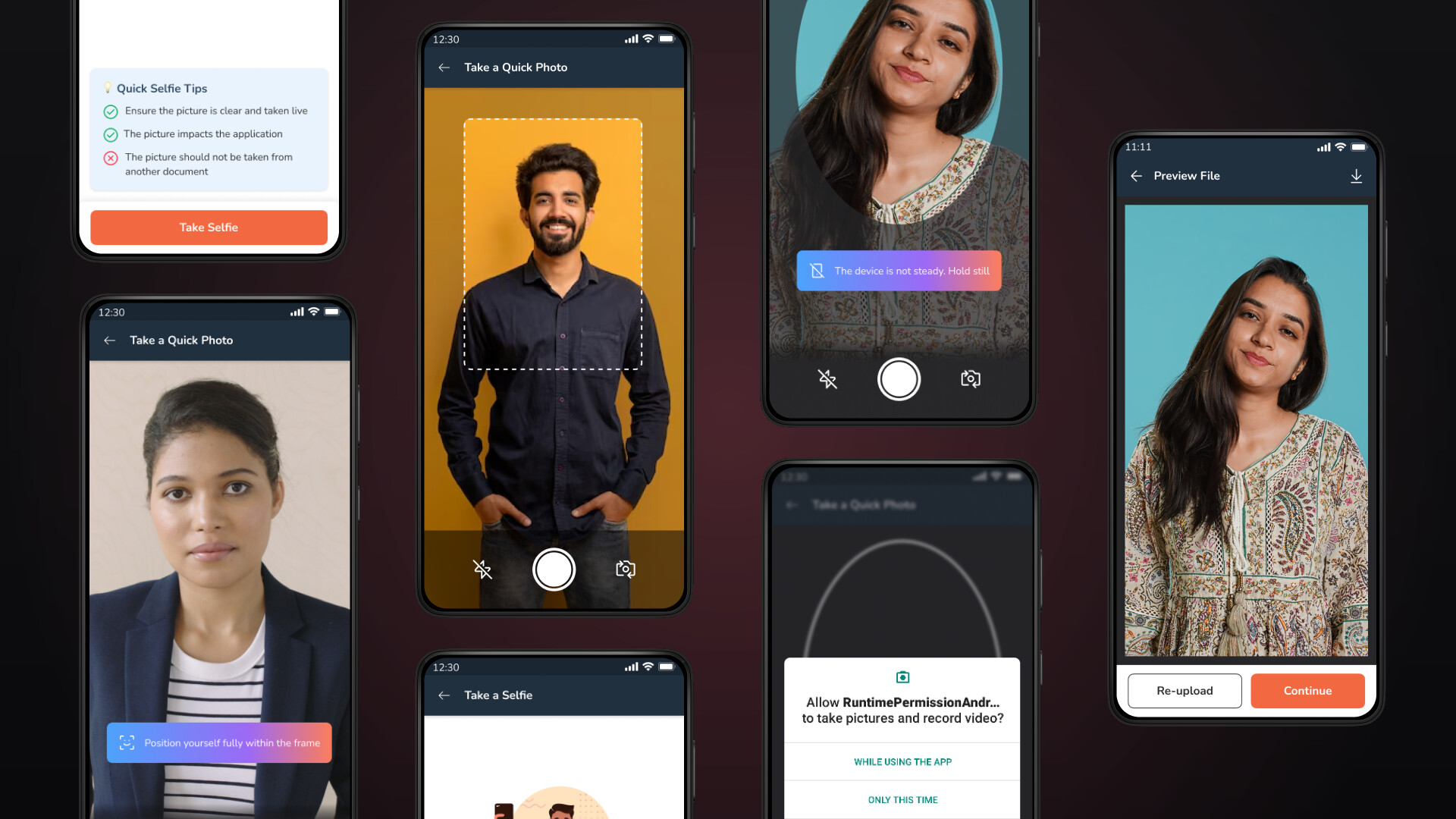
Context
This project is an AI-powered photo verification system designed to streamline customer onboarding by validating identity through facial matching, liveliness detection, and passport-size compliance.
As a UX Designer on this initiative, I designed the photo verification flow. Over the course of 2 months, I collaborated closely with a product manager, developers, and consulted regularly with our compliance teams.
How might we enable RM's and enhance the UX of the Piramal photo/selfie experience?
What is Add Photo/Selfie?
Current State
It is a feature that lets customers upload or capture a clear photo for identity verification, liveliness checks, and fraud prevention during onboarding processes like KYC and loan applications.
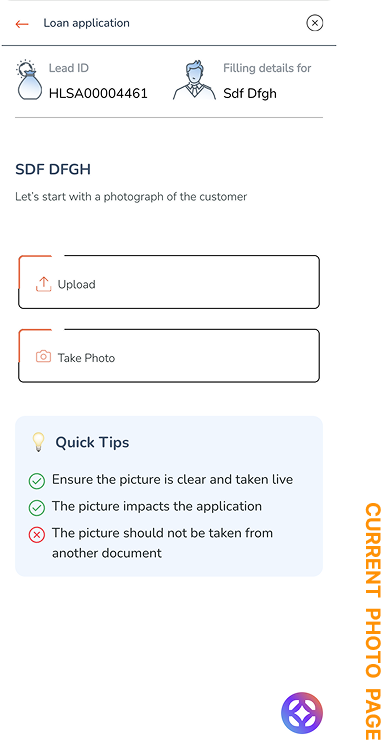
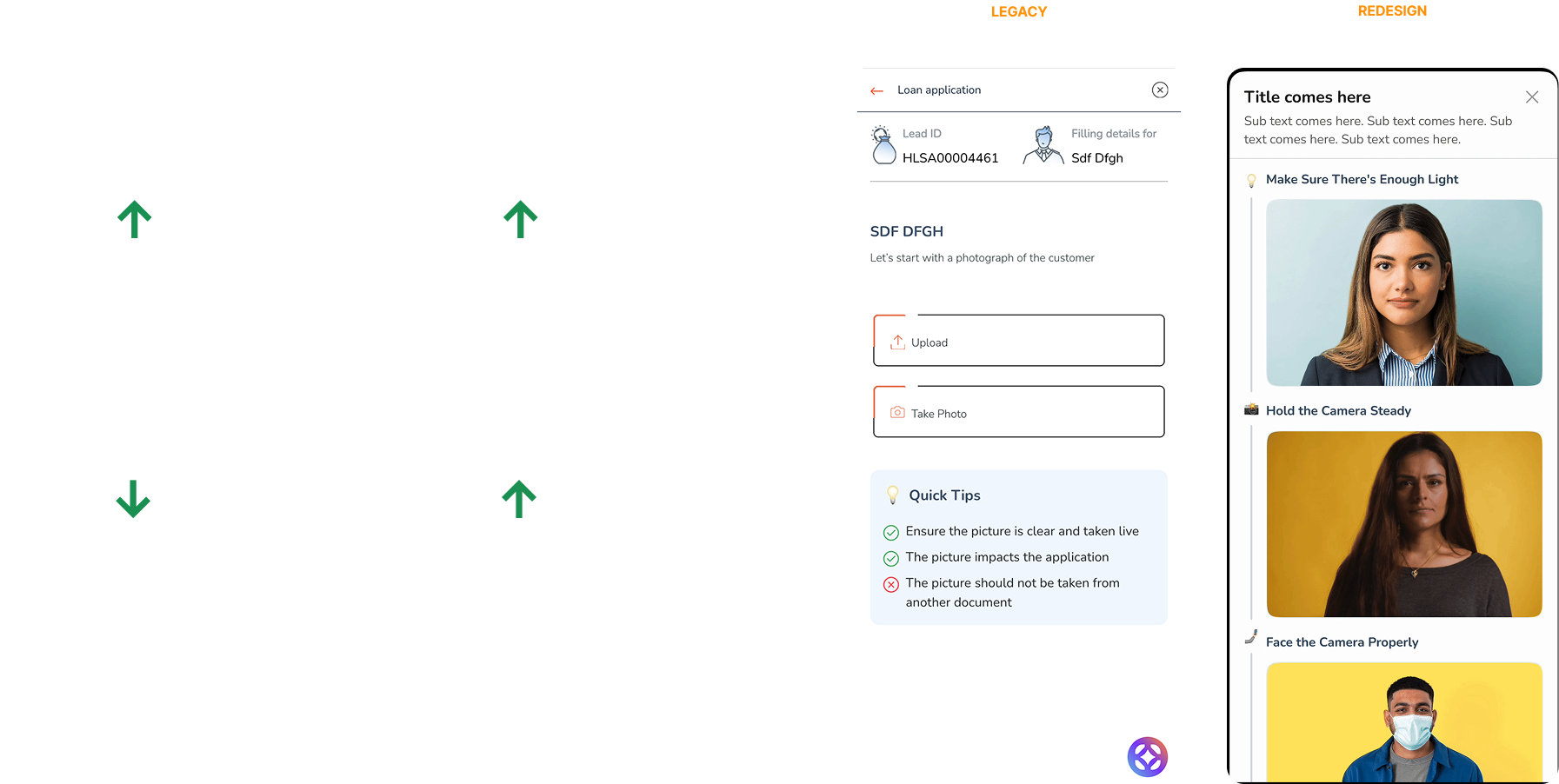
This is what the Add Photo/Selfie feature currently looks like. It allows Relationship Managers (RMs) to either capture or upload a customer's photo for identity verification and compliance purposes.
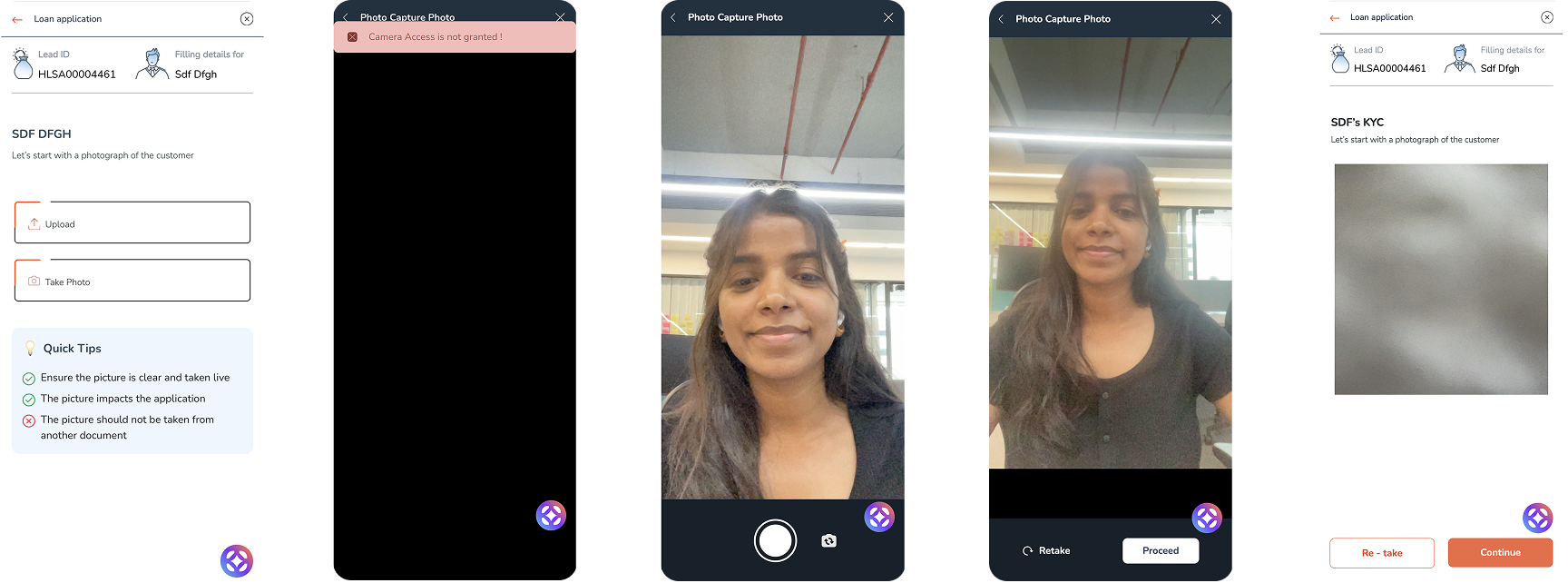
Research
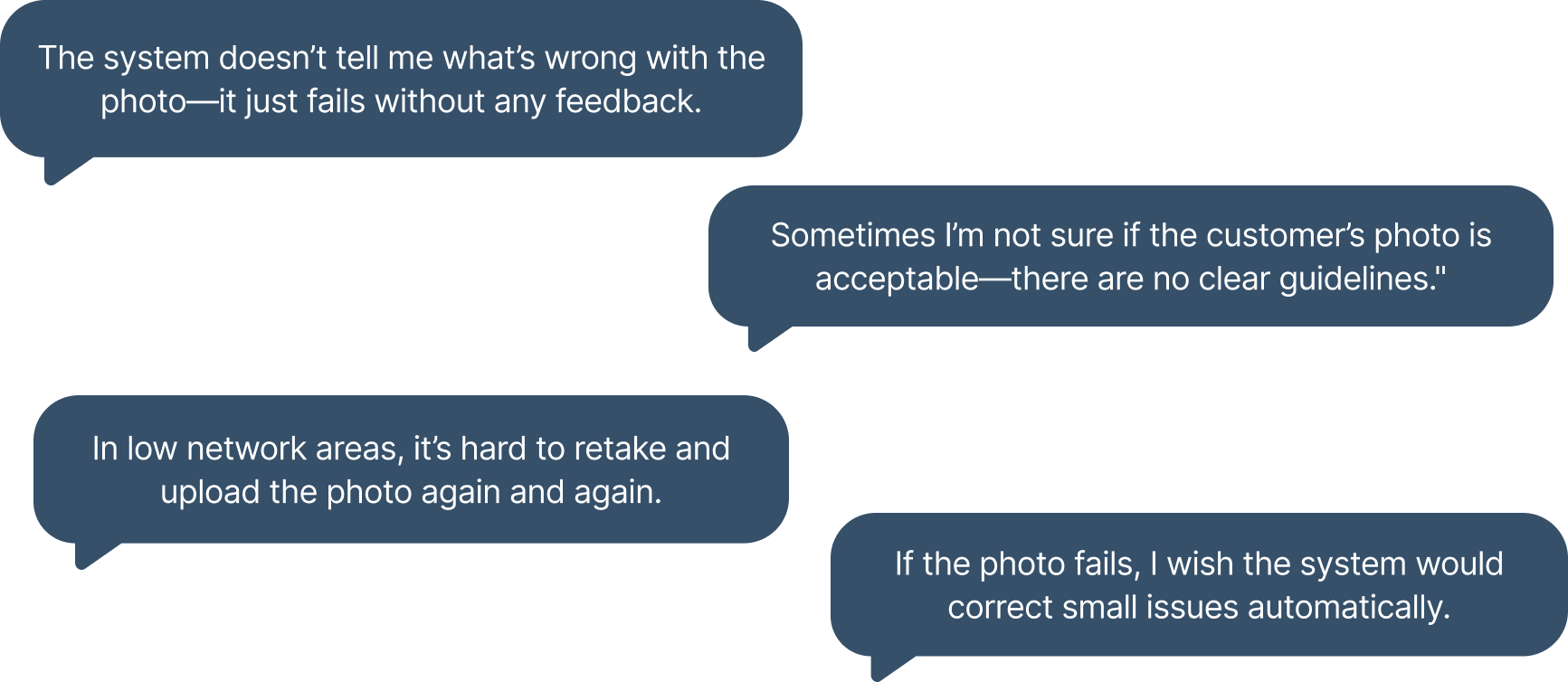
I conducted 8 user interviews with Relationship Managers (RMs) across different branches to understand their experience with the Add Photo/Selfie process.
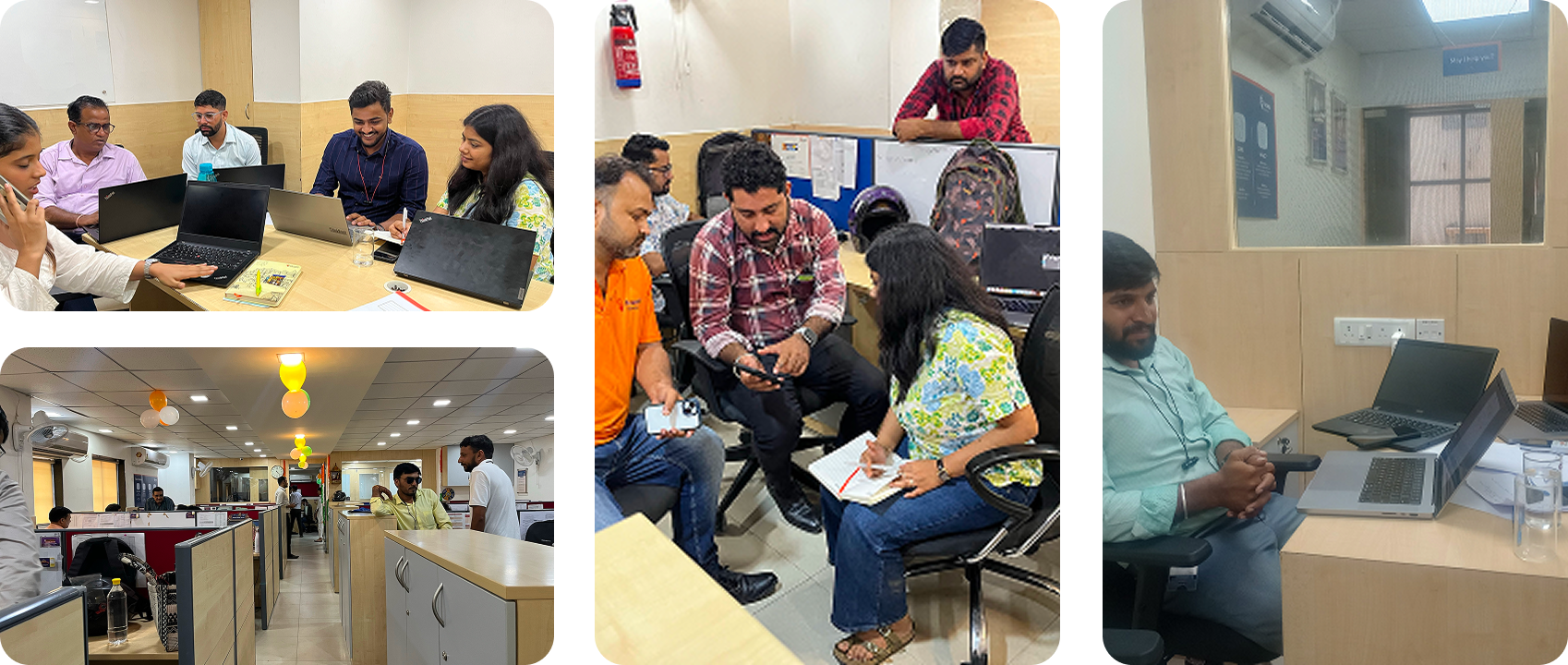
This is what users said:
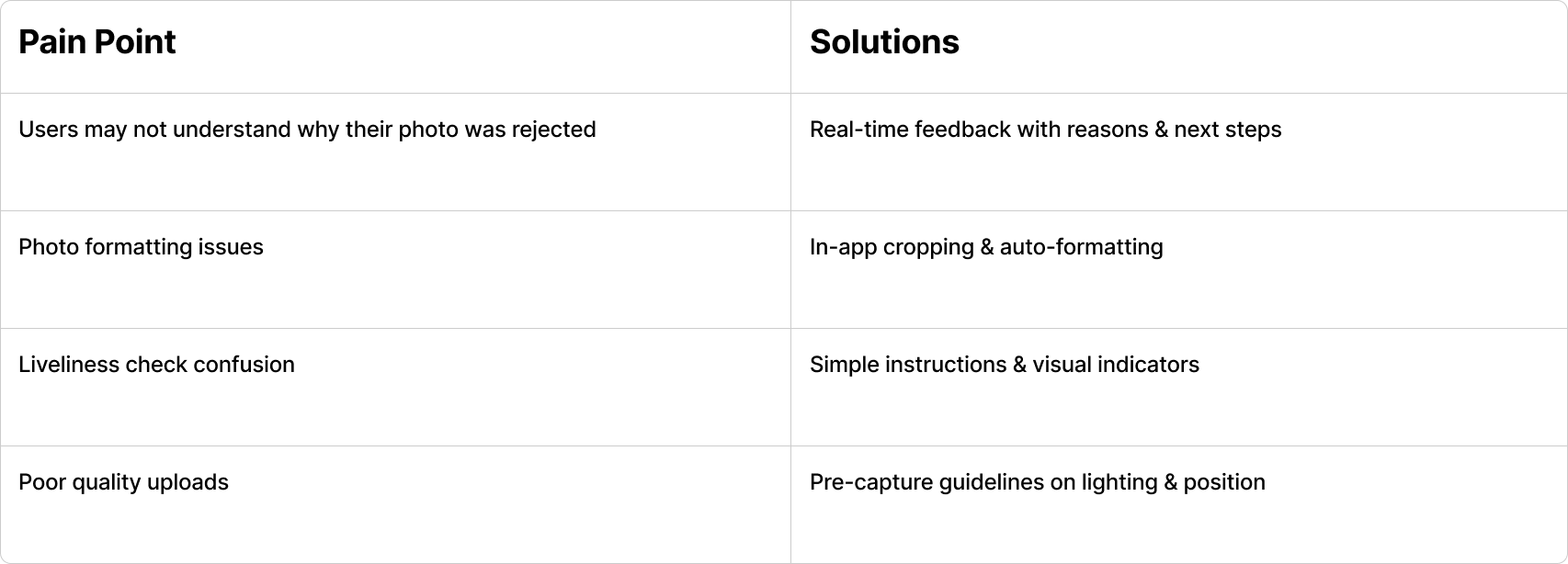
User Pain Points & Solutions
Based on the research findings, I mapped each user pain point to a corresponding design solution to ensure every issue identified had a clear path to resolution.
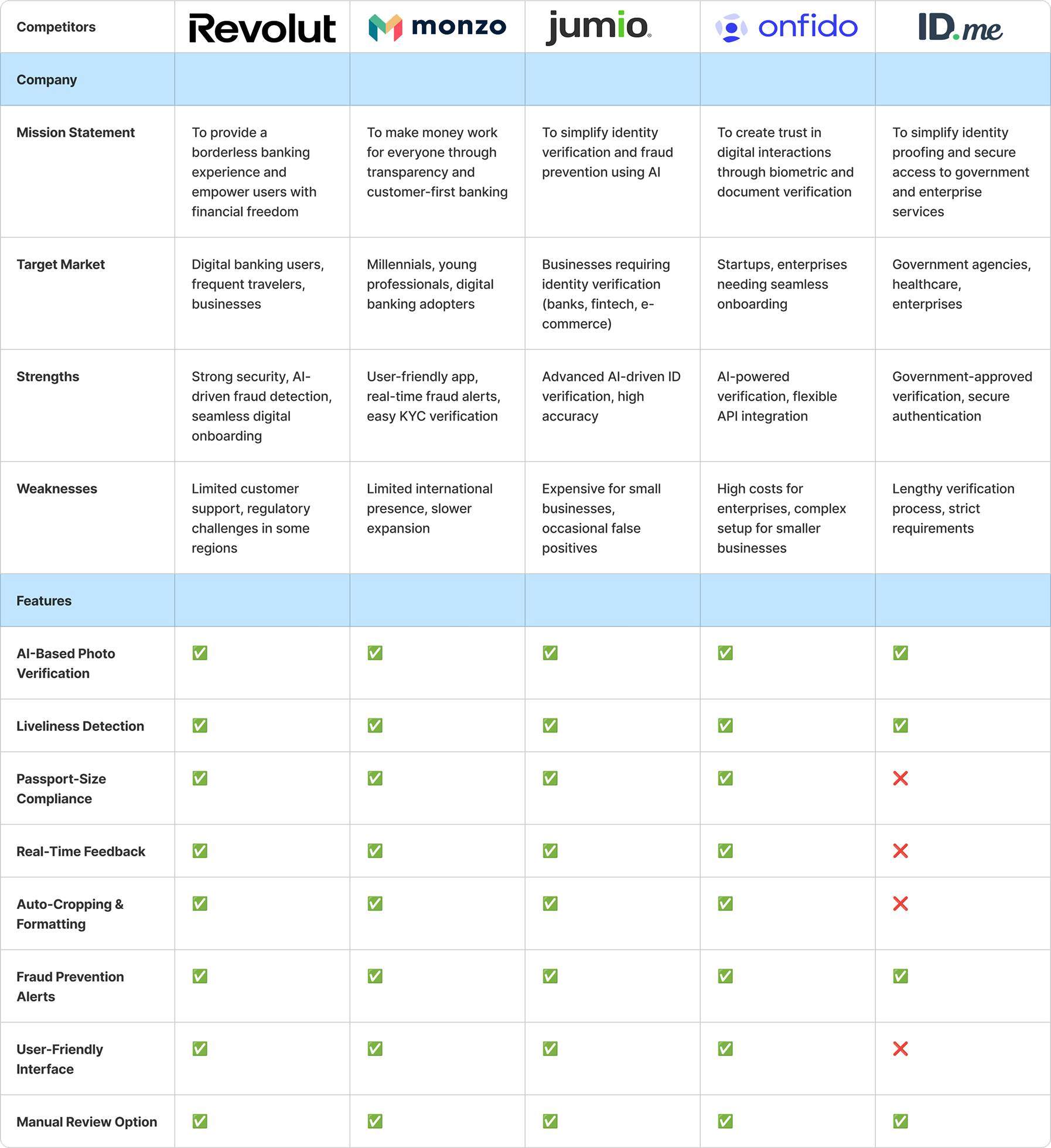
Competitor Analysis
For this project, I conducted a competitor analysis to understand how other financial and onboarding platforms handle customer photo verification and document upload. I reviewed apps from leading banks and fintechs to evaluate their approaches to photo standards, real-time validation, AI use for liveliness detection, and UI design for low-connectivity scenarios.
How might we enable RM's and enhance the UX of the Piramal photo/selfie experience?
[VERY OPEN ENDED]
Brainstorming
Accessibility & Usability Enhancements

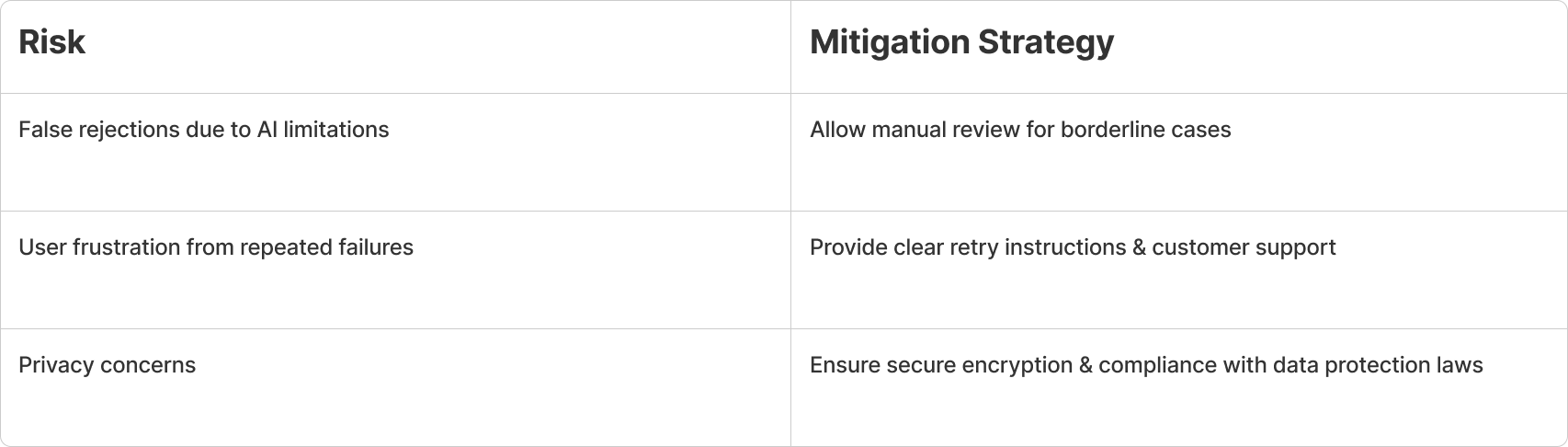
Risk Analysis & Challenges
UX Recommendations
Ideation
GOAL 1
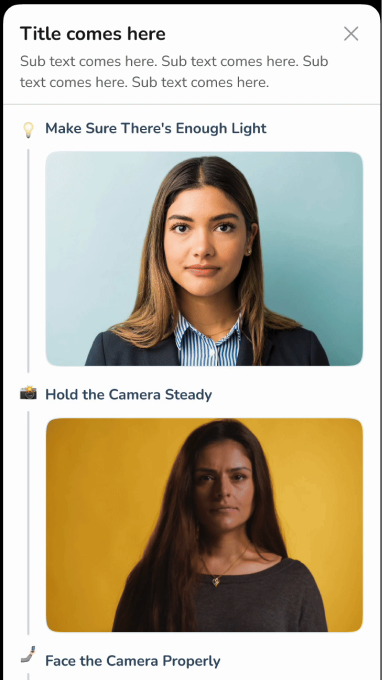
Improve onboarding and upload experience
OPTION 1: Static guides
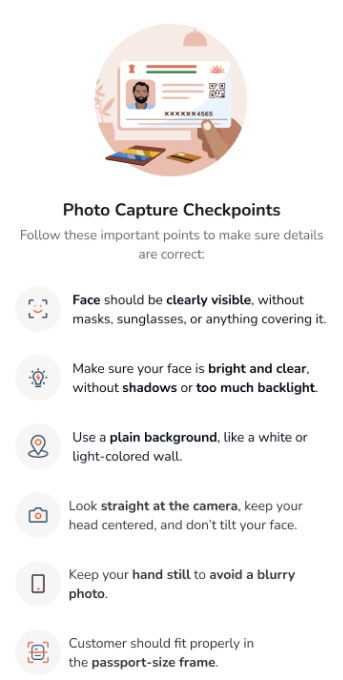
OPTION 2: Scrolling in small viewport
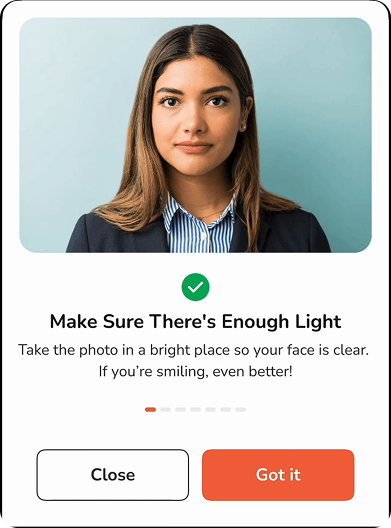
OPTION 3: Expanded viewport
GOAL 2
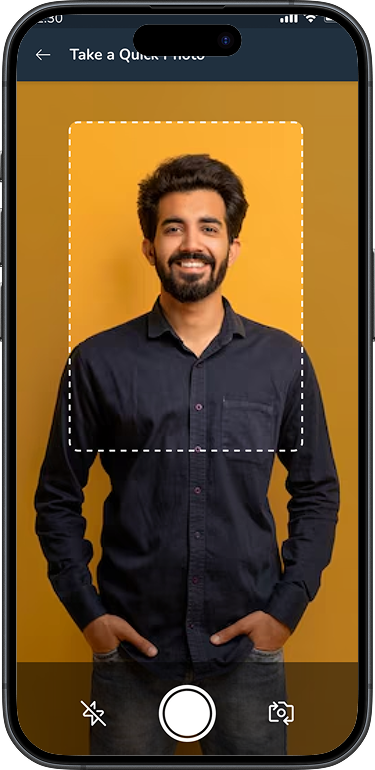
Make it easier for RM's to add correct customer's photo
OPTION 1: Photo Capture with AI Validation
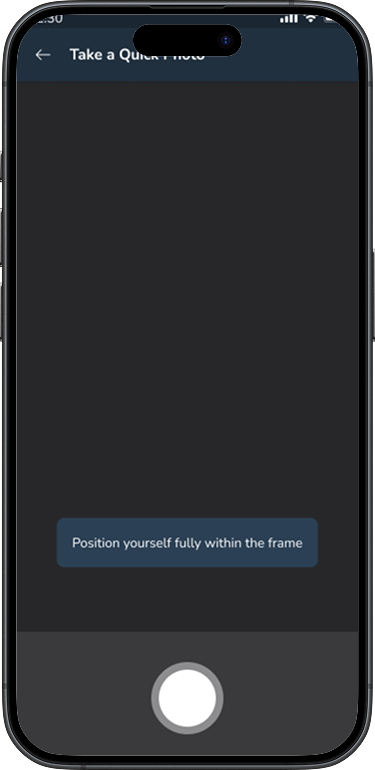
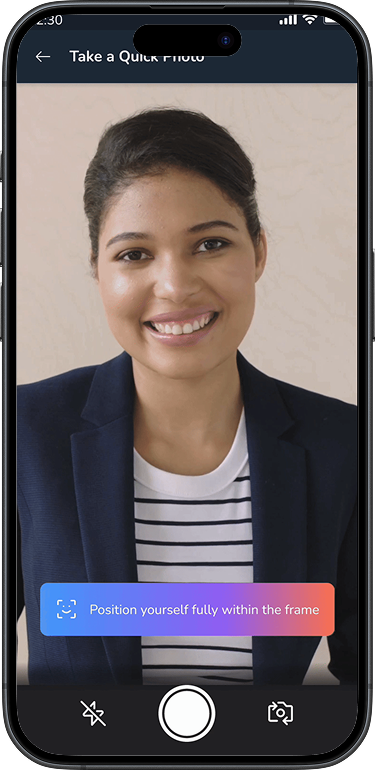
OPTION 2: Real-time Photo Quality Feedback
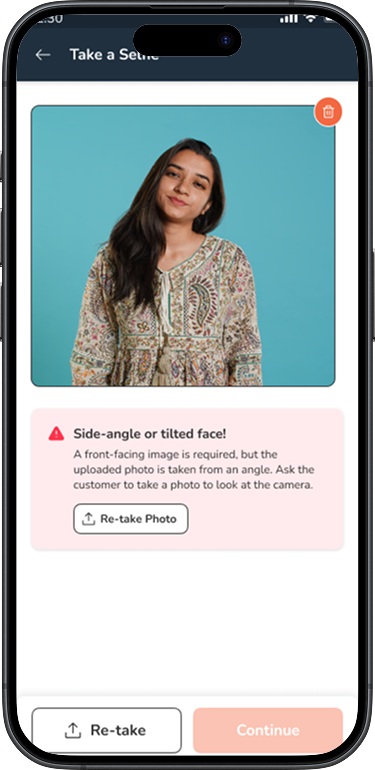
OPTION 3: Auto-Crop & Format Adjuster
GOAL 3
Update the look and feel
OPTION 1: Clean, Minimal UI
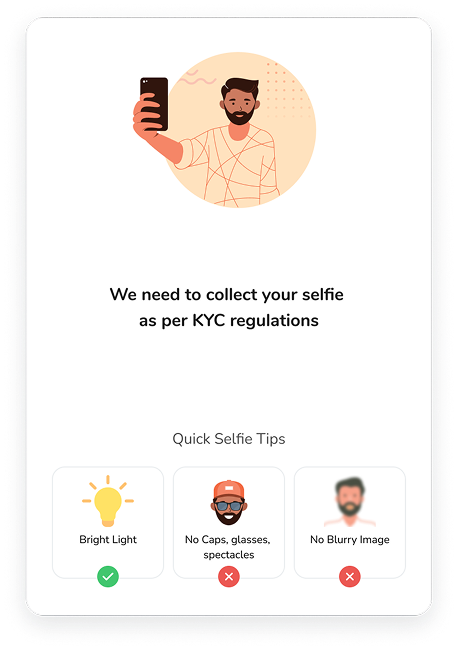
OPTION 2: Dynamic Color Feedback System
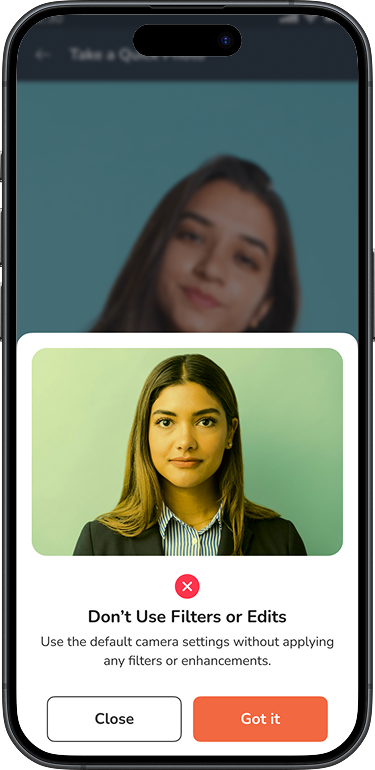
OPTION 3: Themed Visuals and Micro-Animations
Usability Testing
9 RELATIONSHIP MANAGERS, 3 CUSTOMERS

*KPI = KEY PERFORMANCE INDICATOR (QUANTITIVE)
Test results
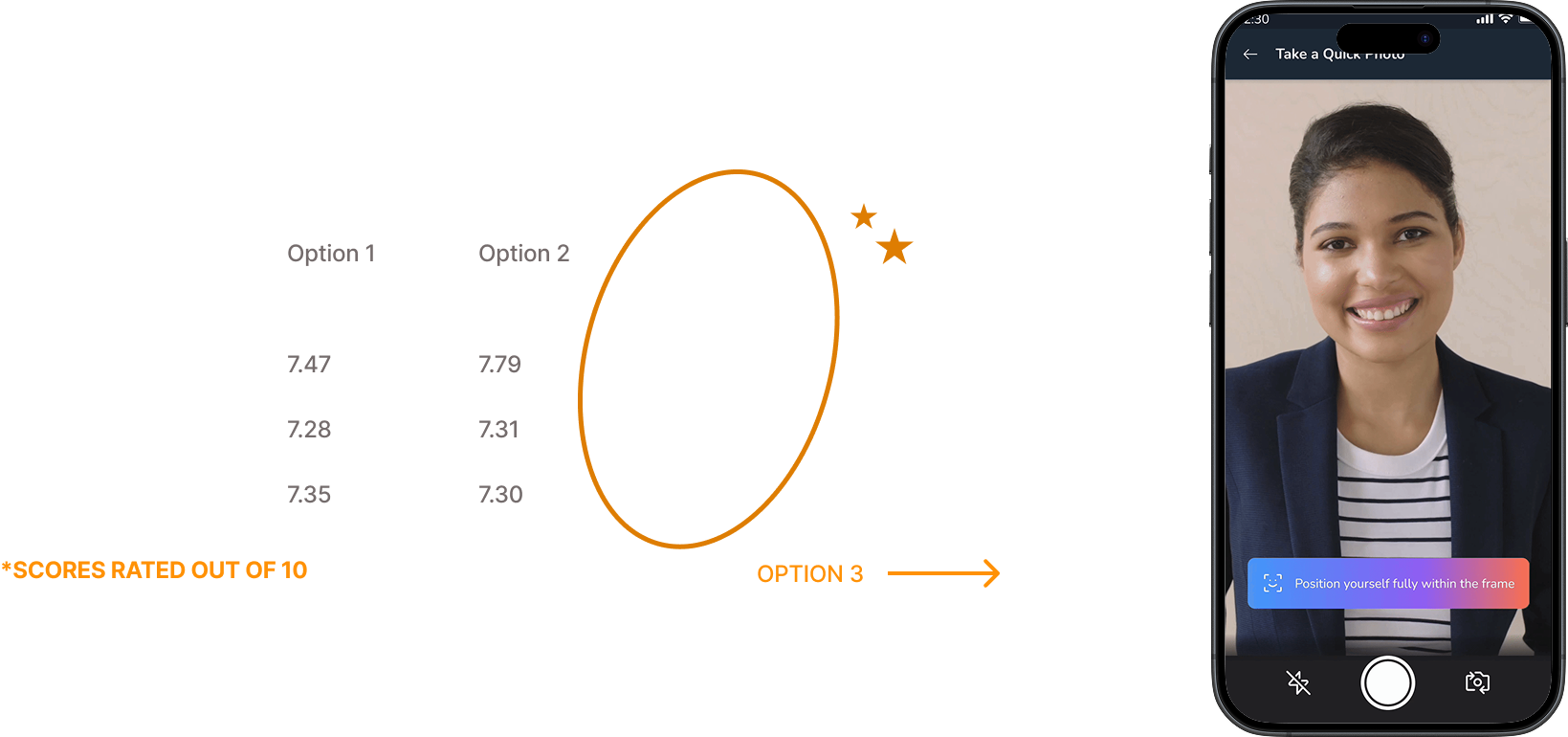
Test participants said that Option 3 felt the most secure and easy to follow, especially with liveliness checks and real-time quality alerts. Since most users were concerned about whether their photo would be accepted, this option helped reduce uncertainty and ensured higher first-time-right rates.
Result
The final design incorporated Option 3 across all three goals — expanded viewport for better onboarding, AI-powered photo capture with real-time quality feedback, and themed visuals with micro-animations for a modern look and feel.
Learnings
Designing for field conditions (low network, varied lighting, rushed interactions) requires a fundamentally different approach than designing for ideal conditions.
AI-assisted validation dramatically improves first-time-right rates, but the feedback must be human-readable — technical error codes mean nothing to an RM in the field.
The biggest UX win wasn't a visual change — it was reducing the number of photo retakes from an average of 3.2 to 1.1 per customer.